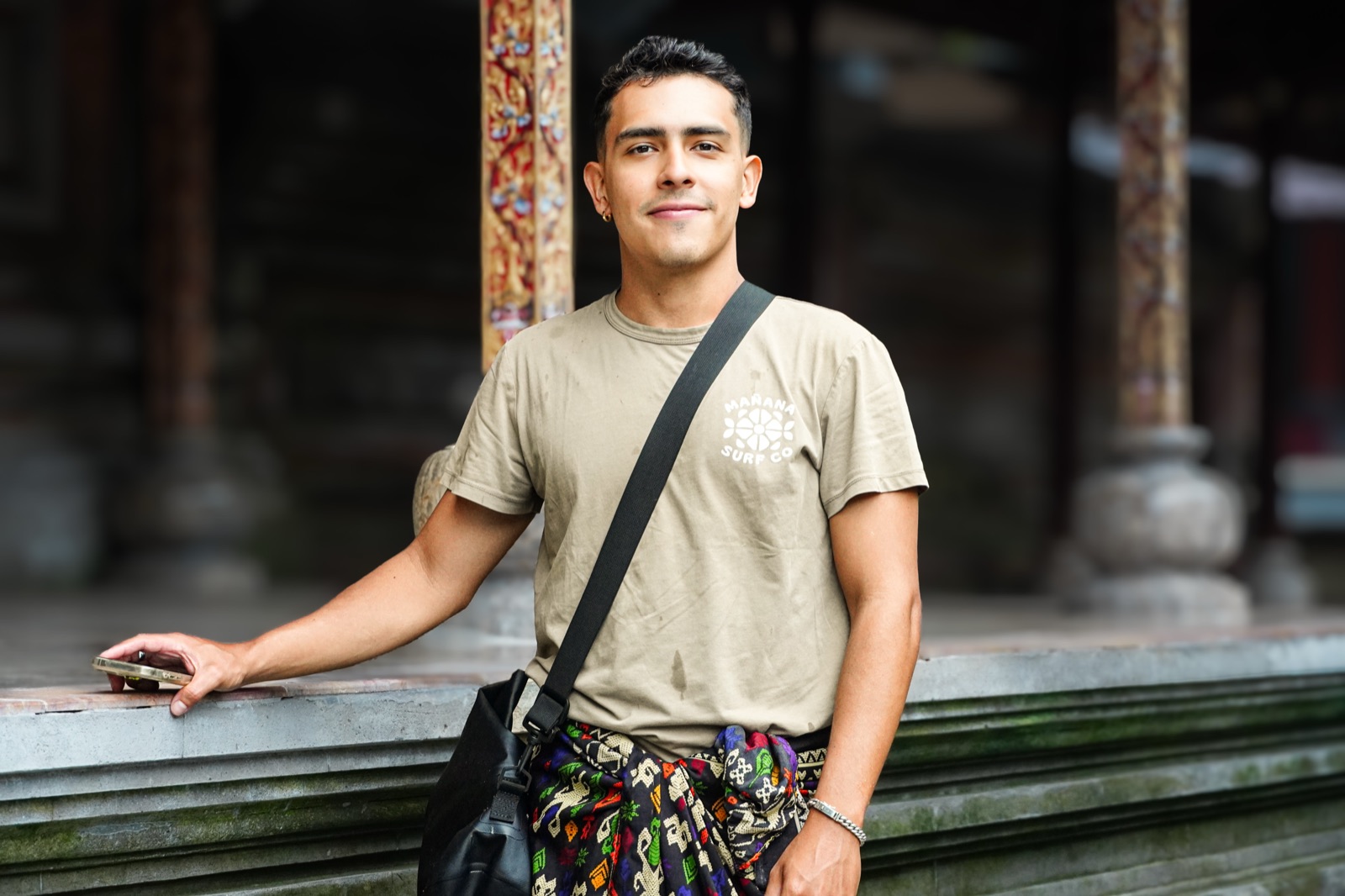
Christian Lozano

Complex ideasTangible experiences

I design interactive environments that make science, technology and business stories easier to understand, from early concepts and prototypes to real installations.

How a subject becomes a space

The subject

Atmospheric science, and the instruments that measure it

What people do

See how weather detection works, then connect it to real data from where they live

The space

3,500 sq ft, a 24 × 14 ft LED wall streaming live data, and 54+ displays

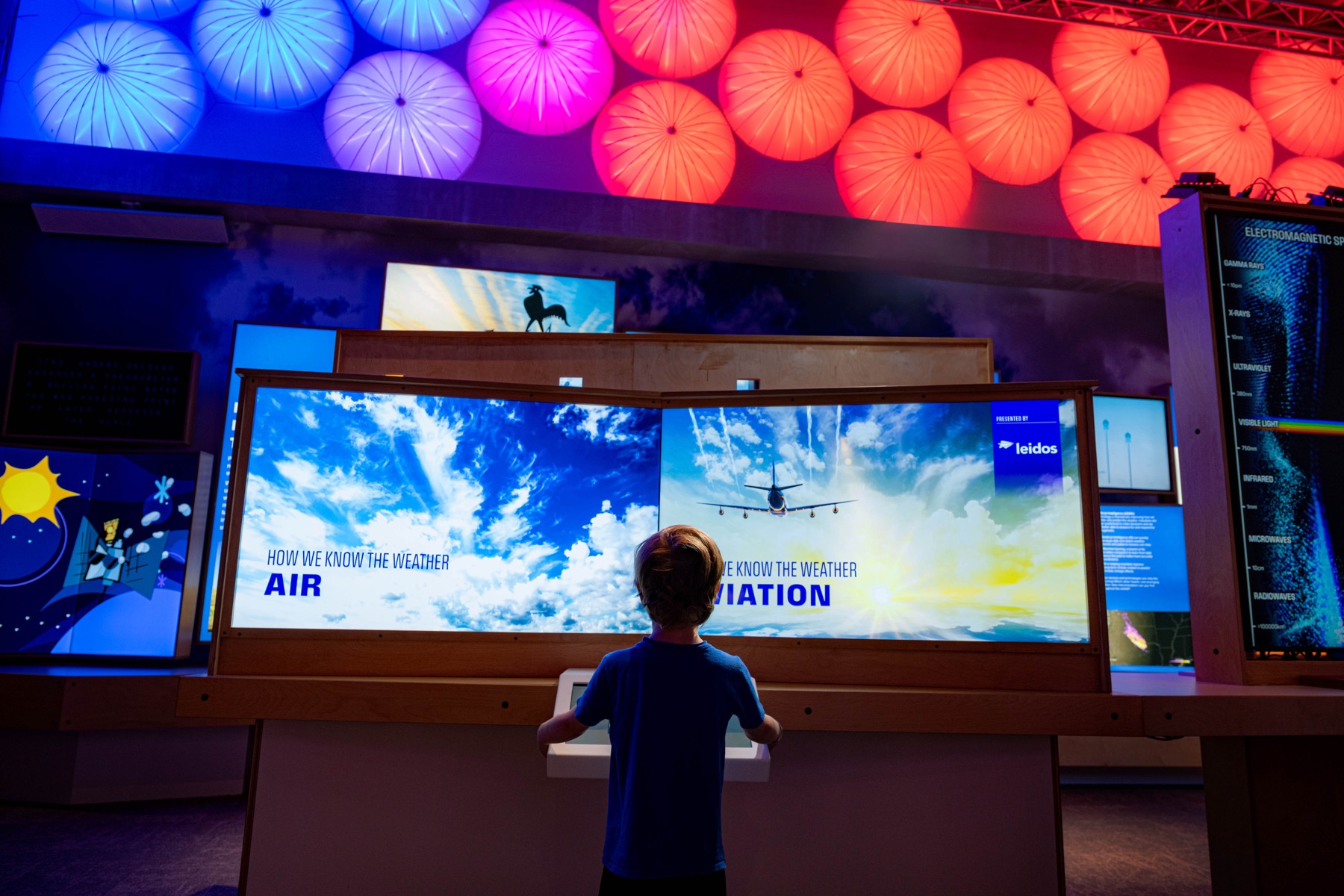
The 24 by 14 foot LED wall with live radar at the U.S. Space & Rocket Center
  • 3,500sq ftscience exhibition at the U.S. Space & Rocket Center
  • 24×14ftLED wall streaming live NASA, NOAA and Baron data
  • 54+displays in that same exhibition
  • 17client review rounds on it
  • $800KAV scope, delivered on budget
  • 4Toyota visitor and experience centers
  • 18interactive and media elements at Toyota Mississippi
  • Each figure belongs to one project. None of them is a career total.

If you only have a minute

Turning complex technology into a story people follow
How We Know the Weather made atmospheric science personal. The Decision Layer does the same for an AI workflow.
Running sessions and writing the brief
I led ideation and working sessions on the weather exhibit and carried it through 17 client review rounds. The Lab starts with its brief.
Prototyping to move a decision
Working browser prototypes for the Toyota timeline, and a bridge you can drive for the simulator.
Directing engineers, fabricators and media teams
Content, creative, engineering and AV coordination across 18 elements at Toyota Mississippi. Content delivery lead on the weather exhibit while the producer was out.
Holding the idea when the scope changes
The weather exhibit's first concept was much bigger than the build. The core idea survived.
Building for real operations, across many sites
Unattended installs, kiosks built to ADA reach ranges, and a host console designed so one system can serve many spaces.

Work

Four projects. Three are built and running. One is a design proposal, and it says so.

How We Know the Weather

U.S. Space & Rocket Center, Huntsville, Alabama · 2023–2025

How do you turn atmospheric science into an experience a visitor can understand?

Scale

3,500 sq ft, 54+ displays, a 24 × 14 ft LED wall

My part

Ideation and working sessions, narrative, review materials, content programming and delivery

Worked with

The museum, NASA, NOAA and Baron Weather scientists, and the production team
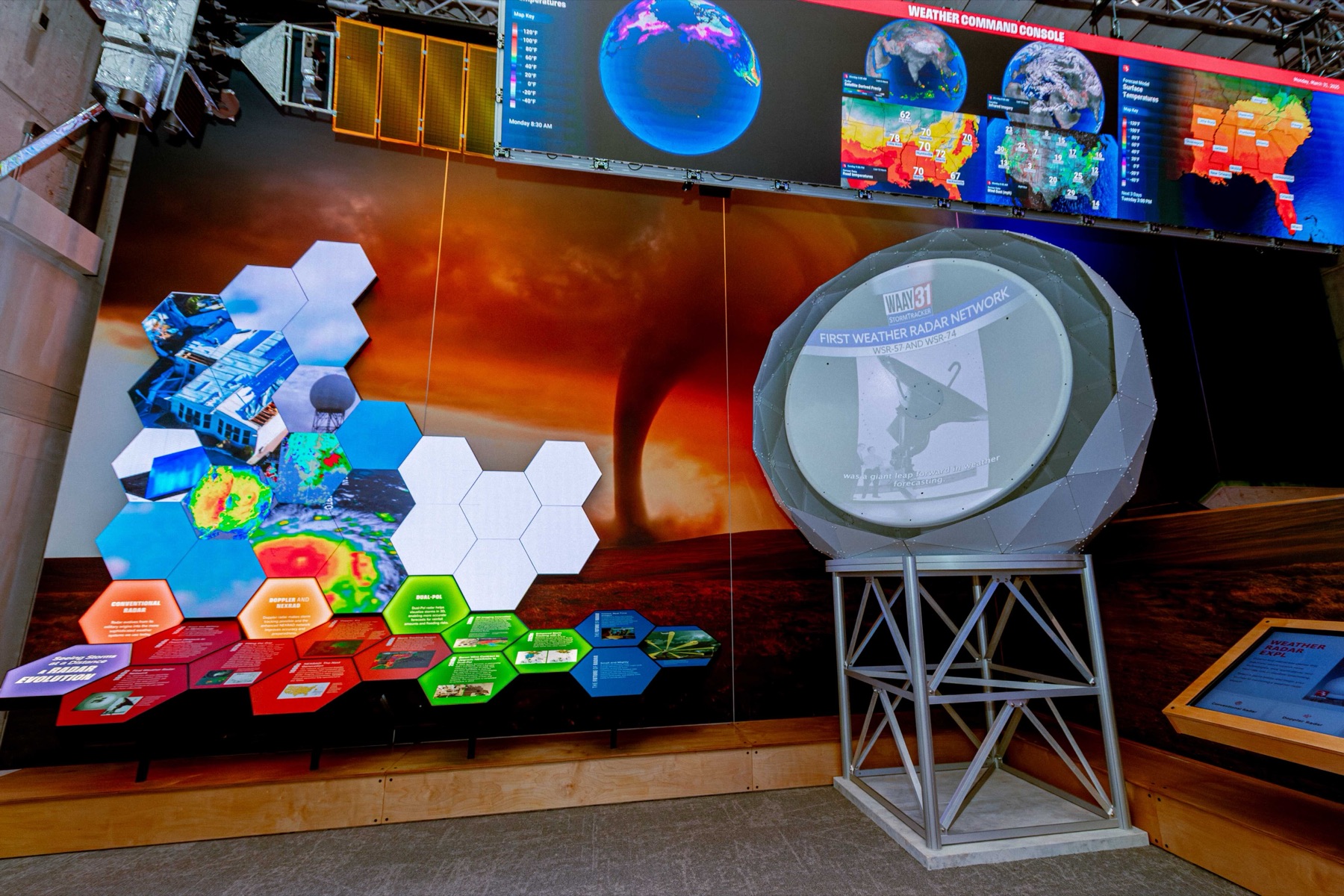
The 24 by 14 foot LED wall showing live radar, with the exhibit floor in front
The LED wall, installed. Photographed on site.

The challenge

Forecasts rest on instruments most people never see. The exhibit had to be clear to a general audience and accurate enough for the scientists reviewing it. The first concept was also much bigger than what could be built.

The idea

Show how weather detection works, then connect it to real data from where visitors live. The science gets personal once it's about your own sky.

My role

I led ideation and working sessions, contributed to the narrative, and made and presented the client review materials across 17 rounds. I programmed content, managed the content team, and took over content delivery while the producer was out.

The process

The concept shrank to a buildable size and kept its core: how detection works first, then what the data says about where you live.

The reality

About $1.5M overall, with an $800K AV scope. The wall runs an HTML layout through a video processor that crashes at the wrong resolution, so every content block is pinned to its exact pixel area. If a feed drops, only that block goes quiet.

The outcome

Open since 2025, with the AV scope delivered on budget, in a museum that sees about 800,000 visitors a year.
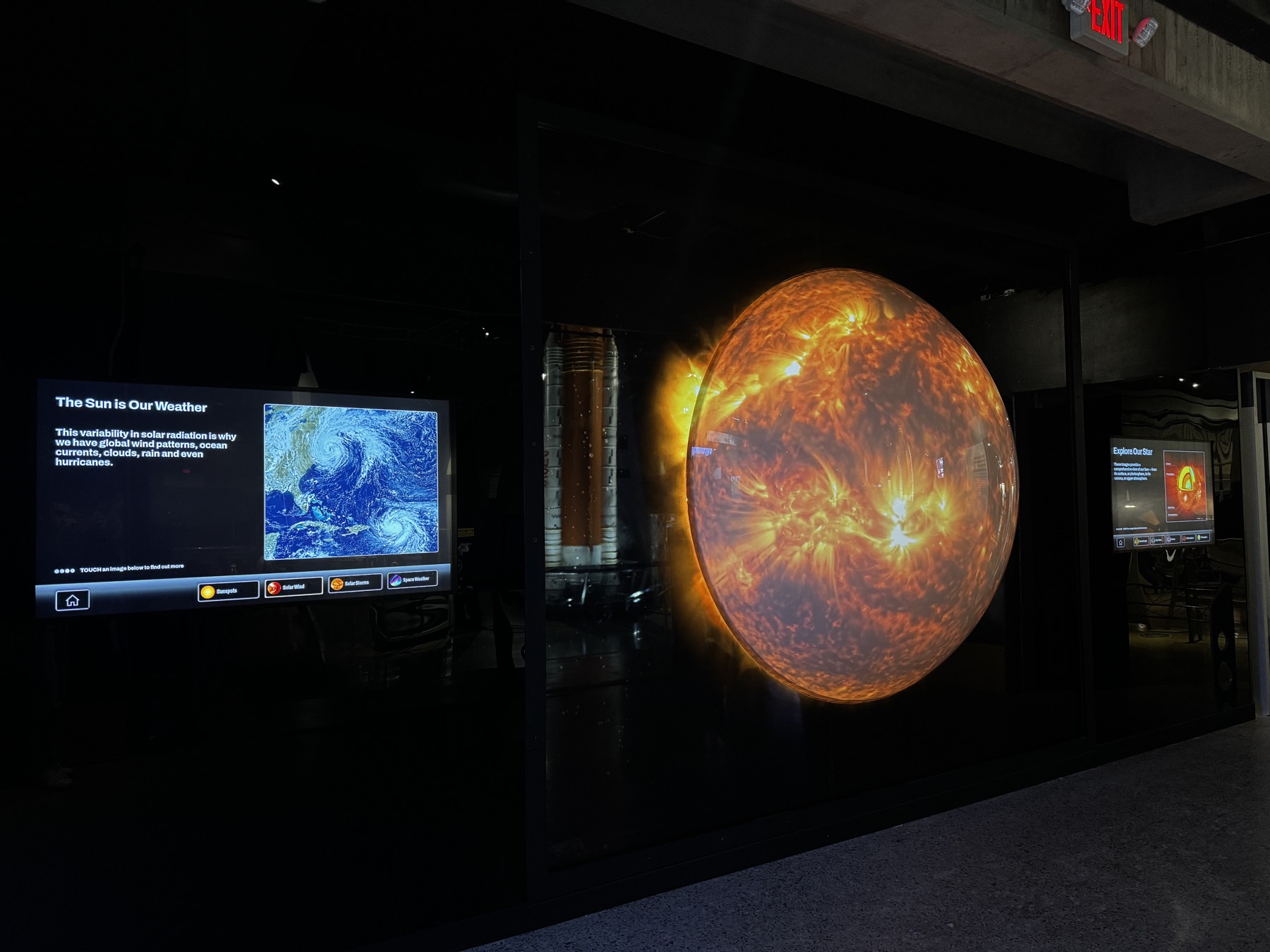
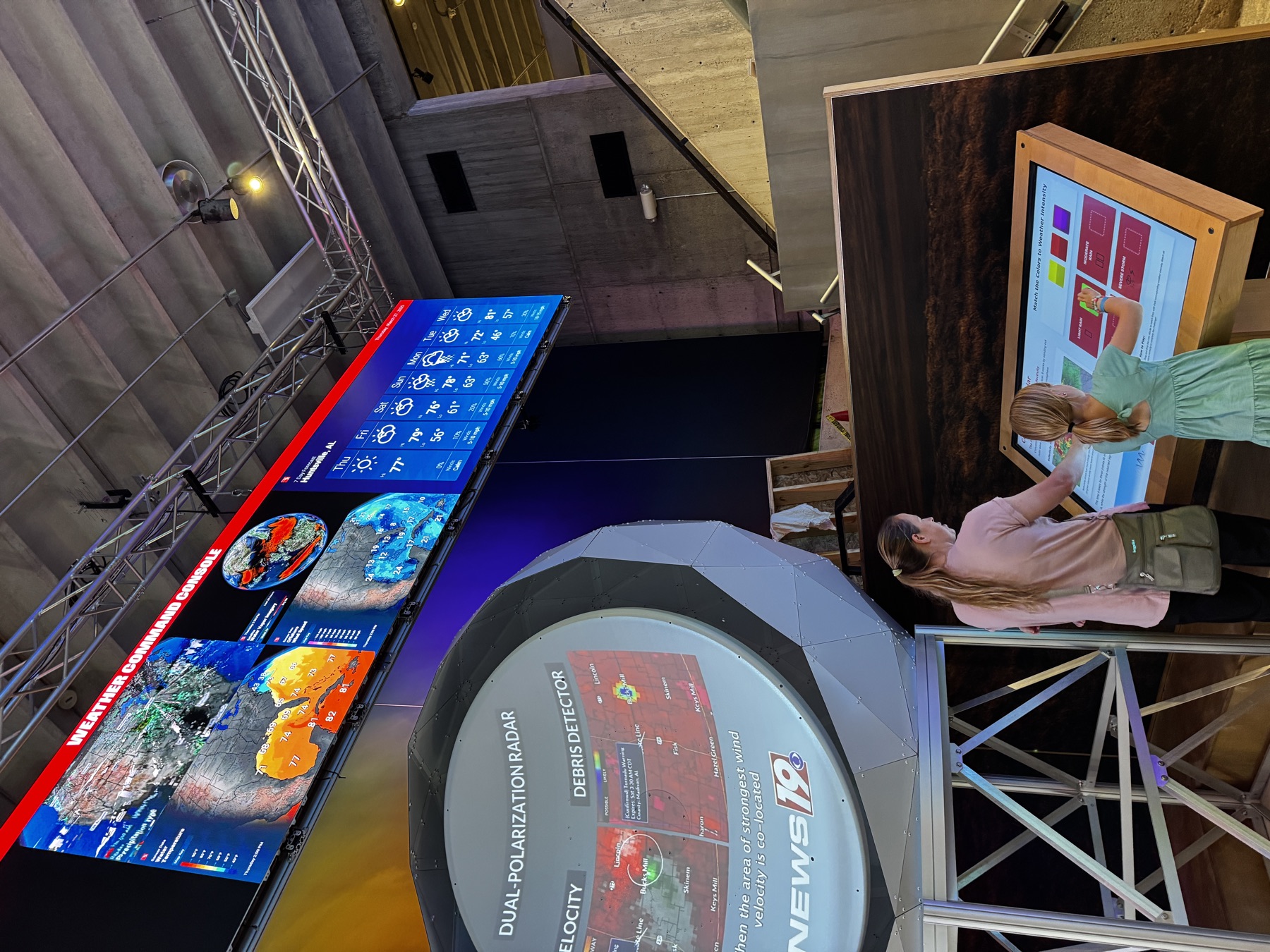
Interactive stations along the exhibit wall
Interactive stations
Hands-on weather games
Hands-on games
A display detail inside the exhibit
Display detail
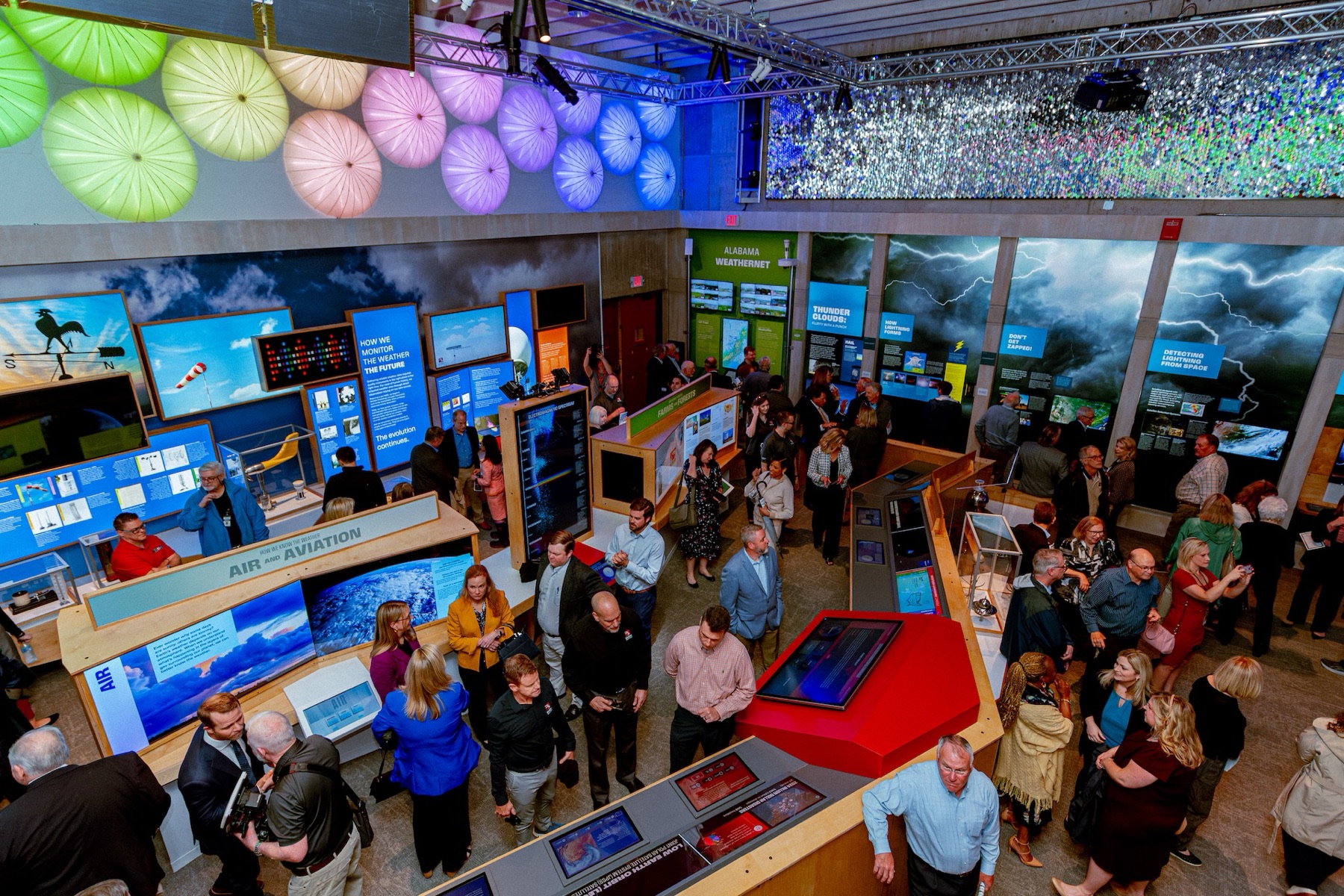
Opening night crowd on the exhibit floor
Opening night

Toyota experience centers

San Antonio, Texas · Georgetown, Kentucky · Plano, Texas · Blue Springs, Mississippi

How do you turn a factory into a story people can explore?

Scale

Four sites, and 18 interactive and media elements at Mississippi alone

My part

Design and development of interactives, touchscreen apps and media, plus coordination across teams

Worked with

Toyota's brand and archive teams, creative designers, engineers and AV integrators

A synchronized multi-screen wall at the Toyota experience center in San Antonio
San Antonio: six apps and six video channels running as one wall
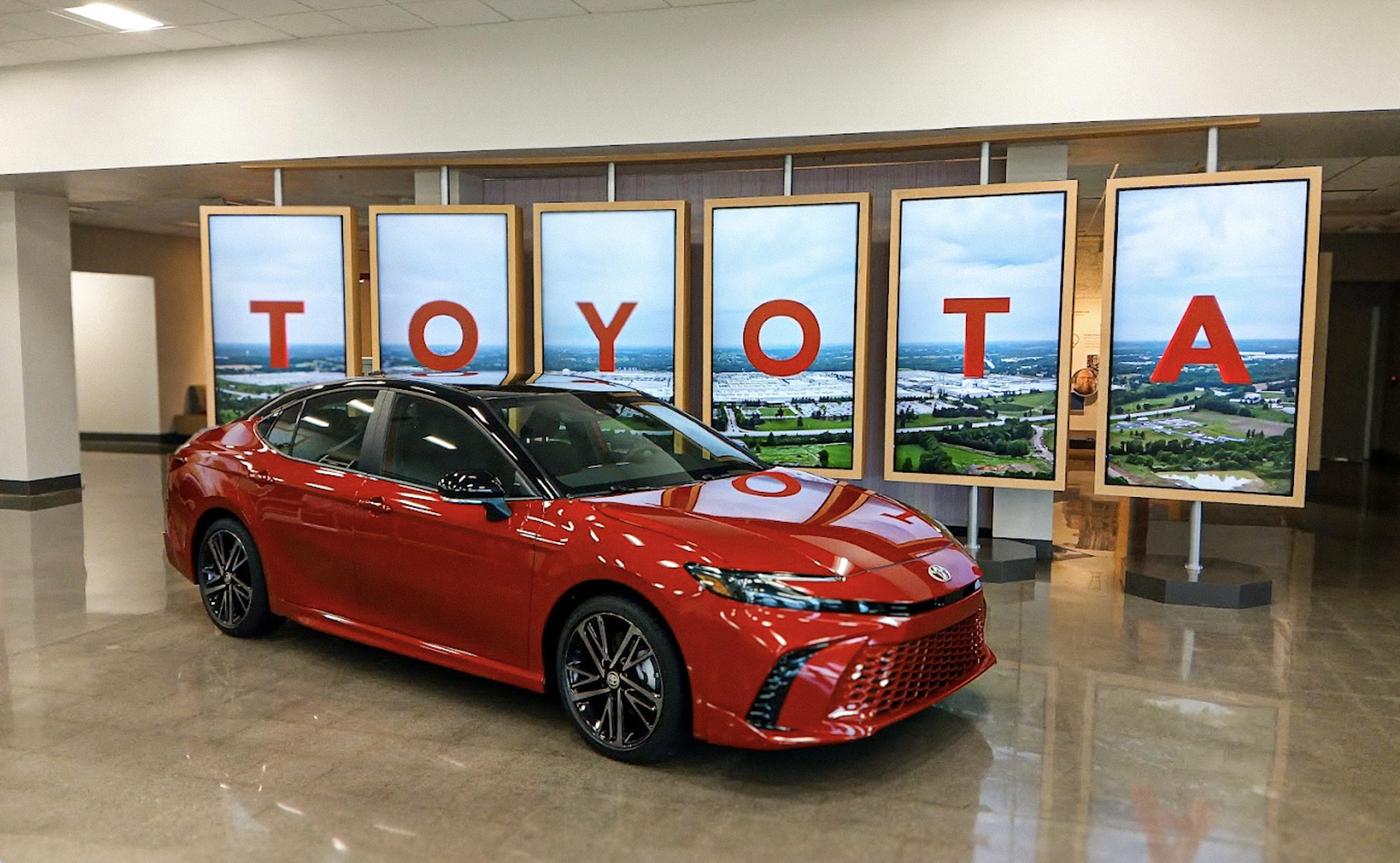
The six-screen marquee at Toyota Motor Manufacturing Kentucky
Georgetown: a six-screen marquee, edited around the gaps between screens
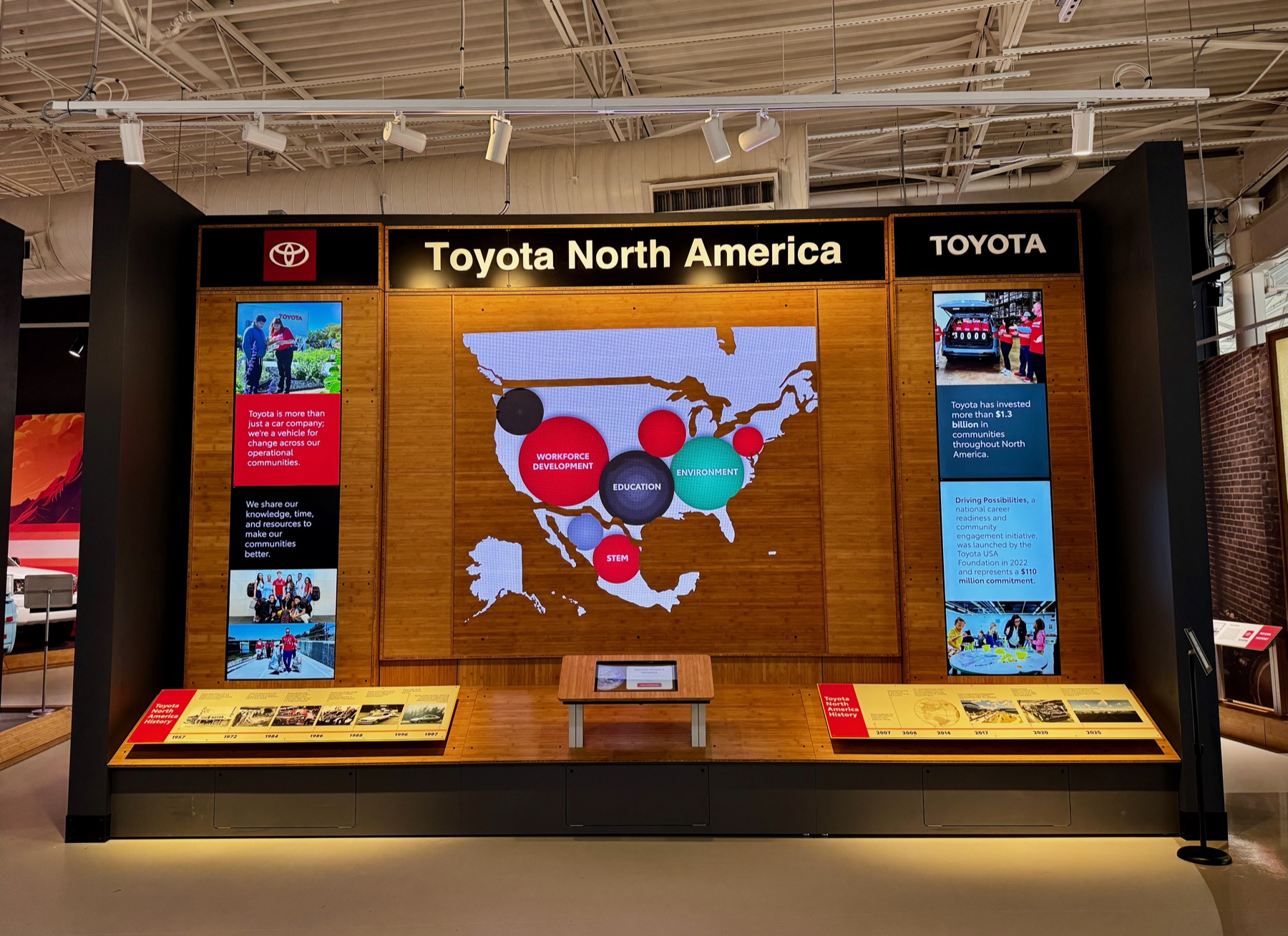
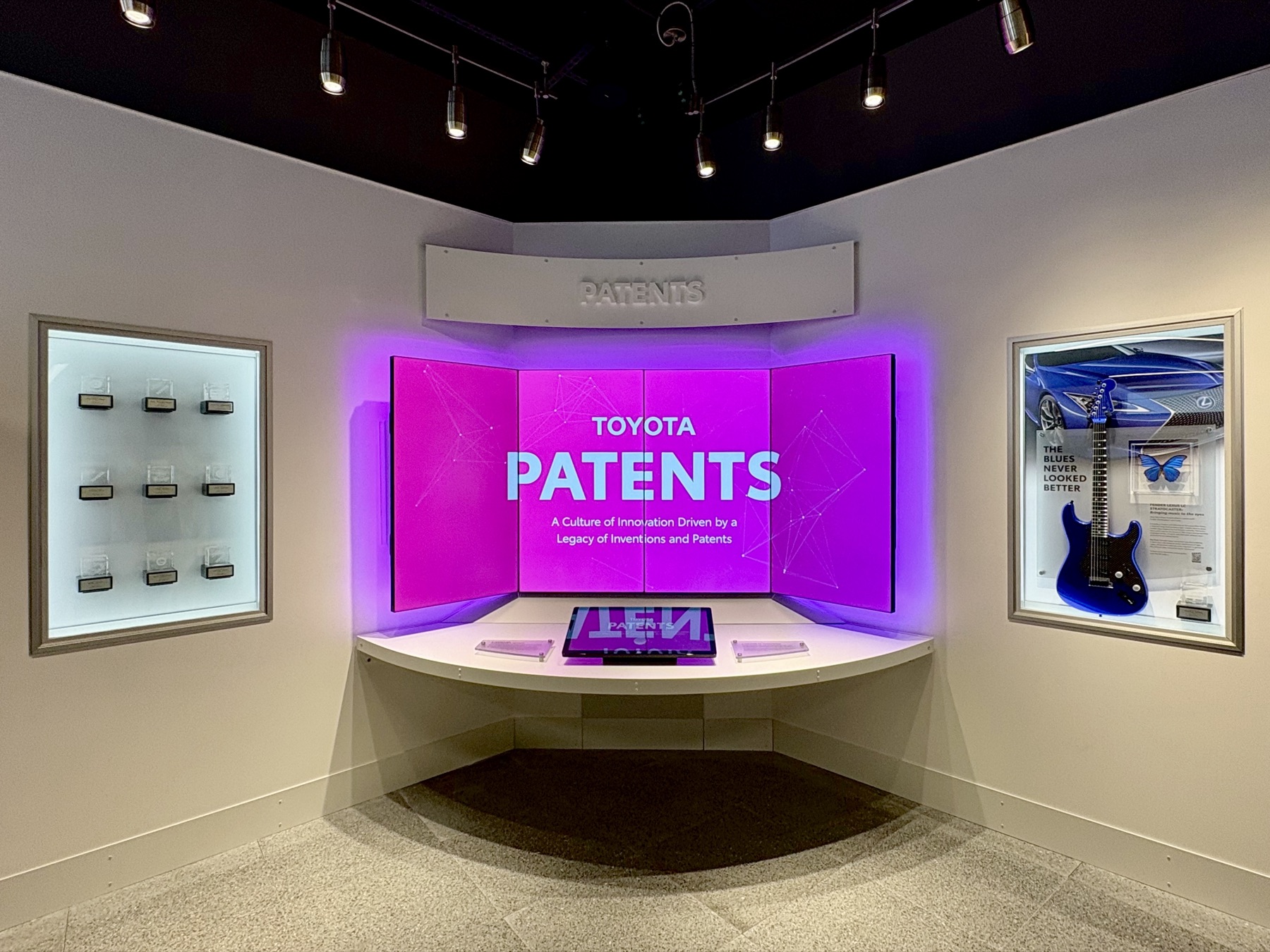
Patents interactive touchscreen and display wall at Toyota headquarters
Plano: one touchscreen drives four displays and the room lighting
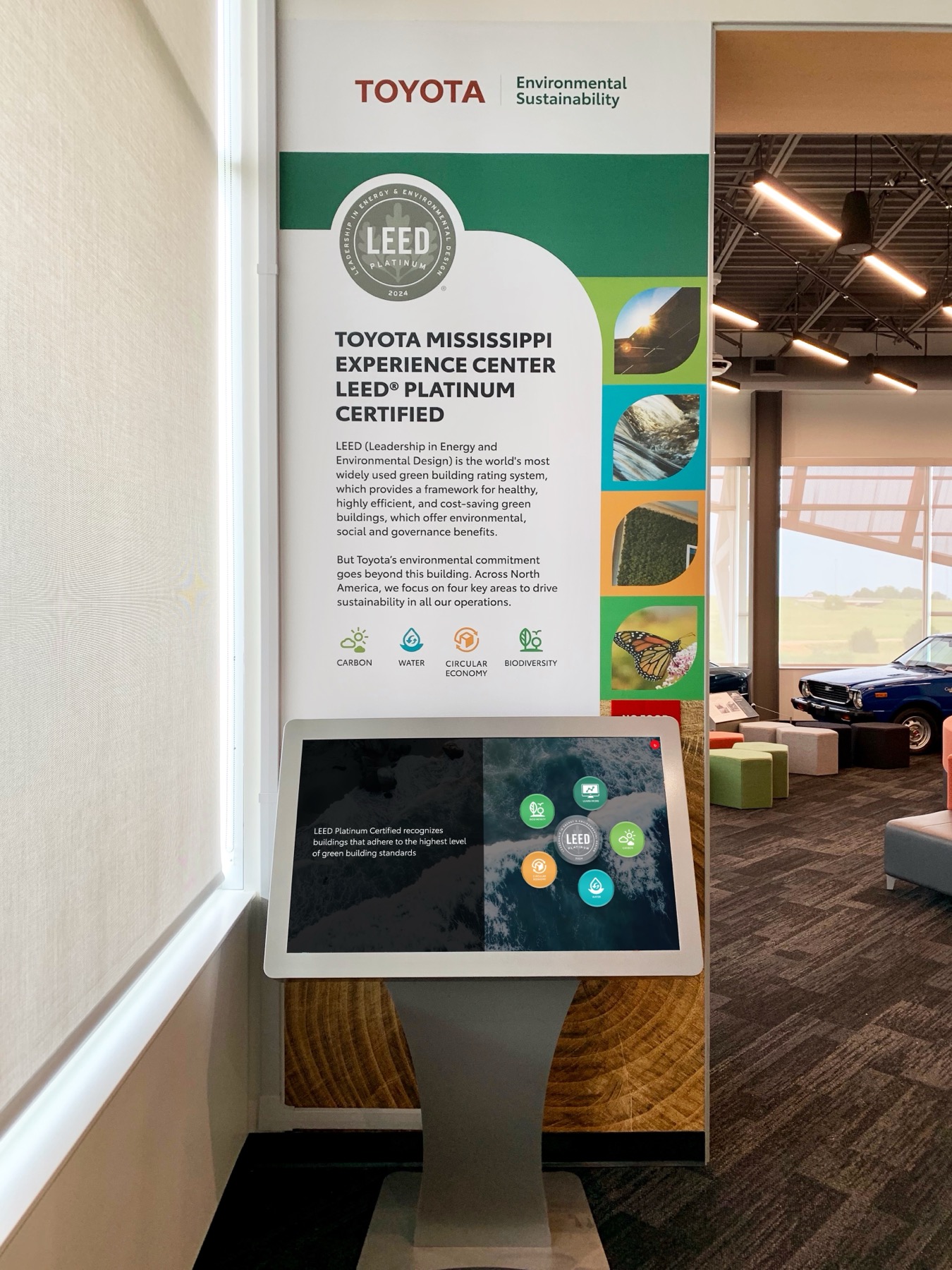
LEED Platinum sustainability kiosk interface
Blue Springs: the plant's LEED Platinum story as an accessible kiosk

The challenge

A plant is huge and procedural. A visitor center has to make it coherent, and every screen in it is built by a different mix of people.

The idea

Treat the center as one system. At Mississippi, production became a single journey told across seven screens, Corolla heritage got its own kiosk, and the plant's LEED Platinum rating became a touchscreen story in plain language.

My role

I designed and developed interactive experiences, touchscreen applications and media content across the four sites. At Mississippi I developed content and interactions across 18 elements and coordinated content, creative design, engineering and AV.

The process

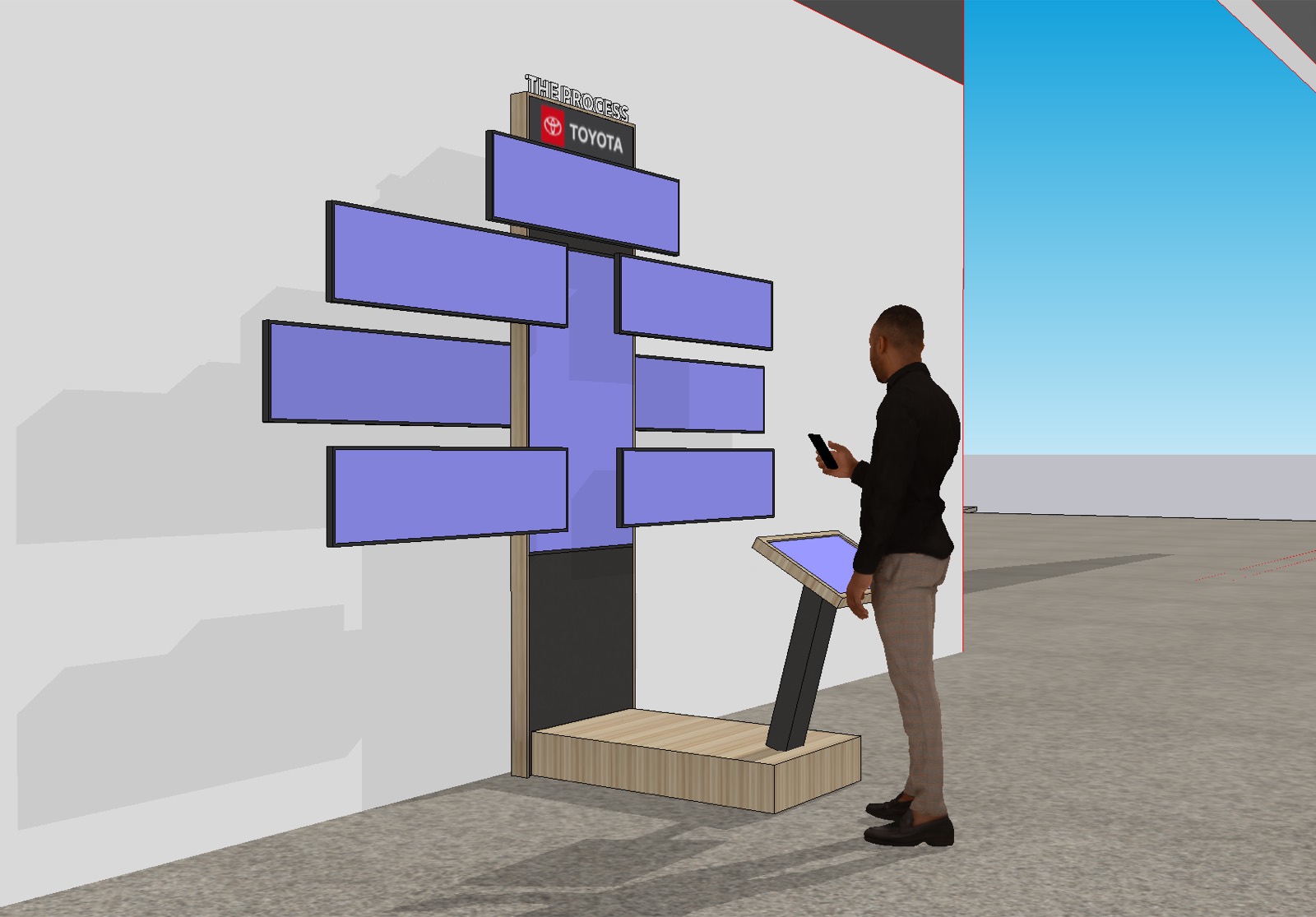
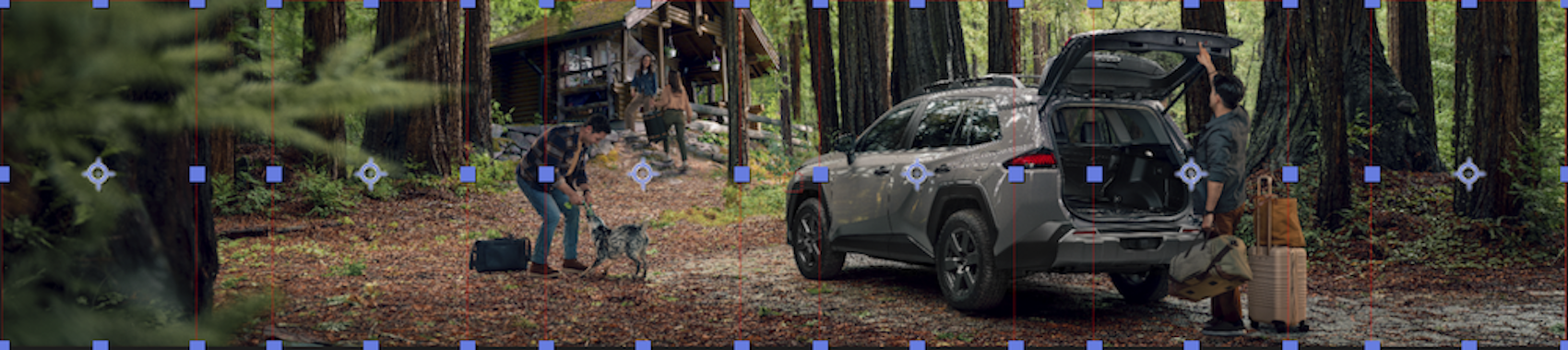
Layout comes before content. The production journey was modeled in 3D, screens, kiosk and visitor, before anything was built. On the Kentucky marquee I rebuilt the six-screen panel layout in After Effects first, because anything that ignores the gaps between screens looks broken once it's up.

The reality

Kiosks are built to ADA reach ranges and reset themselves with an attract loop. BrightSign players boot straight to content. In San Antonio, six apps and six video channels stay in sync over WebSockets.

The outcome

Installed and running across all four sites.

Concept render of a wall titled The Process: seven landscape screens branching from a central column, a touchscreen kiosk in front, and a visitor for scale
Concept render of "The Process," the seven-screen production journey, made before the build.
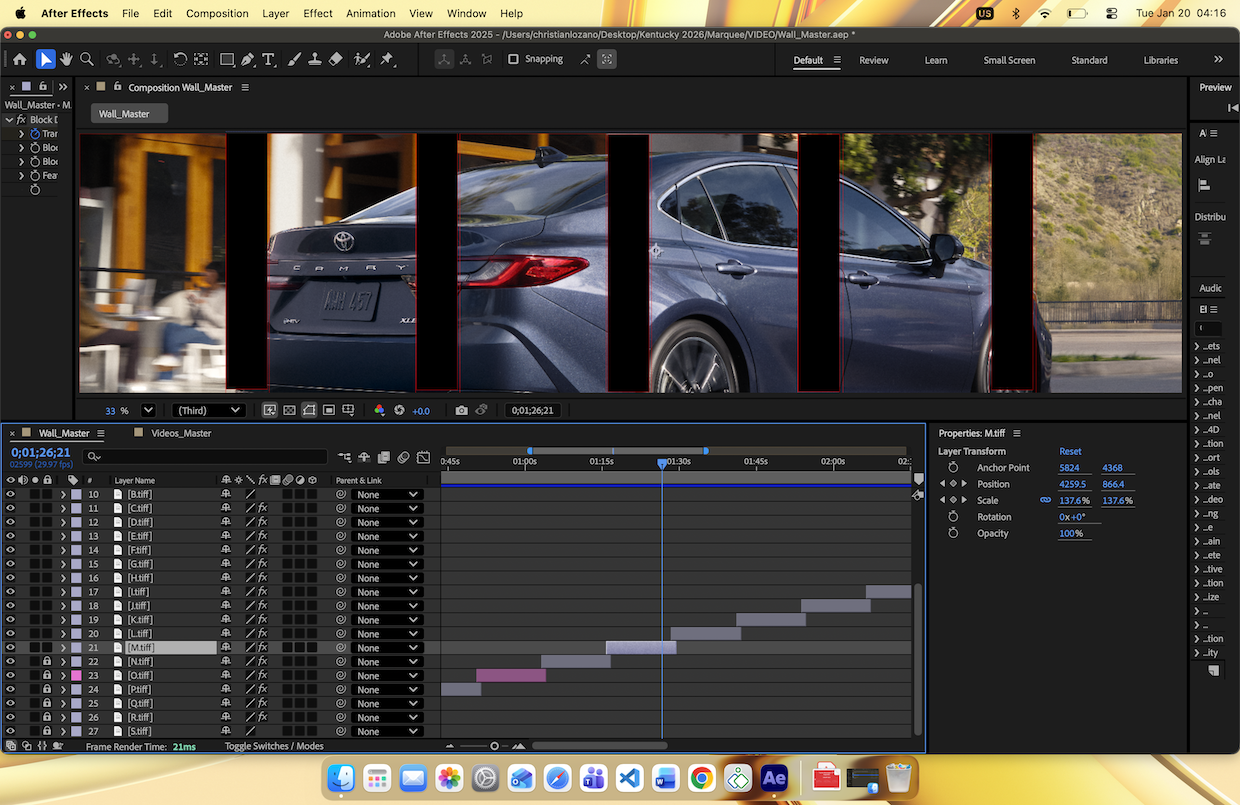
Six-screen marquee layout with panel guides marking where the screen gaps fall
Working file for the Kentucky marquee. The guides mark where the mullions, the gaps between screens, fall.

A new timeline for Toyota North America

Toyota North America headquarters, Plano, Texas

Shown from the first idea to the final prototype, before the build.

How should a company's history move through a building?

What it is

Concept directions with working browser prototypes

My part

Concepts, prototypes and revisions with the client

Constraints

The existing architecture and the space around the timeline

  1. Problem
  2. Directions
  3. Alternatives
  4. Constraints
  5. Prototype
  6. Revisions

The challenge

An existing historical timeline needed rethinking, inside real architectural and spatial limits.

The idea

Let the story travel across the wall like threads in a weave. Weaving fit a company that started out building automatic looms.

My role

I developed the concept directions and built quick browser prototypes so the client could react to something moving, then revised them through feedback.

The alternatives

Several coordinated screens with the narrative moving between them, or a single screen. Same idea, different cost to build and run.

The outcome

A final browser prototype, refined with the client through rounds of feedback before the build.

The first idea: same story, two ways to hang it

Where it started. Switch between the directions; the yellow line is the visitor's place in the story.

Coordinated screens

The story physically travels along the wall, and the visitor walks with it. More hardware to keep in sync, and content made for each surface.

One screen

Simpler to run and update, one place to author. Less presence in the space.

The original thought, redrawn for this page. The real prototype is below.

The final prototype

Where the idea landed before the build: four screens, a thread for every year, and a way for visitors to leave their mark.

Screen recording of the working browser prototype.

Ship's Bridge Simulator

Outdoor Adventure Center, Michigan Department of Natural Resources, Detroit · Installed 2026

How do you make a 3D simulation feel like driving a real ship?

Scale

Three bridge-window displays, a navigation and status display, a real wheel and throttle

My part

Scoped it and directed the build

Runs

Unattended, on a public museum floor

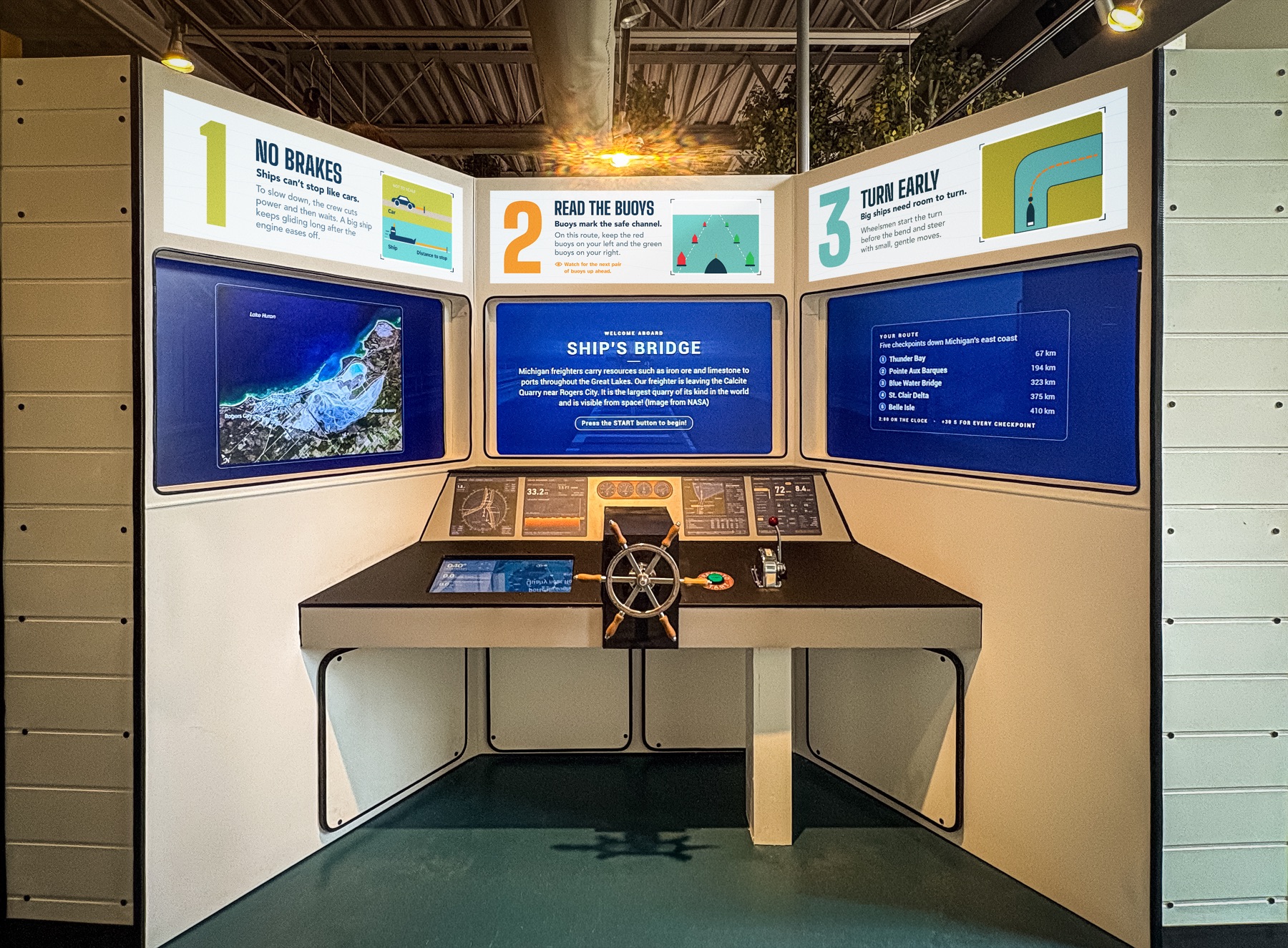
The simulator installed: three screens as bridge windows above a console with a ship's wheel and throttle
The bridge, installed. Photographed on site.

The challenge

A boat on a screen is easy. A bridge a kid can drive with nobody watching, where the wheel feels like it steers a ship, is a hardware, software and space problem at once.

The idea

Make the visitor's hands the interface: a real wheel and throttle, three screens angled in like bridge windows, and Great Lakes landmarks ahead.

My role

I scoped it and directed the build, from the sensors in the wheel and throttle to how the boat should feel on the water.

The process

nDisplay renders the right view for each angled screen, so the horizon lines up instead of one picture stretching across three.

The reality

A kid will slam the throttle. The sensor input is smoothed inside the engine, so even that reads as a real command.

The outcome

Installed in 2026 and running unattended at the Outdoor Adventure Center.

Take the wheel

Drag the wheel or use the arrow keys, then turn smoothing off to see the raw sensors.

  1. Wheel and throttle sensors
  2. Smoothing
  3. Unreal Engine 5
  4. nDisplay
  5. Three windows and a navigation display

000° · 0.0 knNavigation display

A toy model built for this page. It isn't the installed software, but the side windows angle in and the input smoothing works the same way.
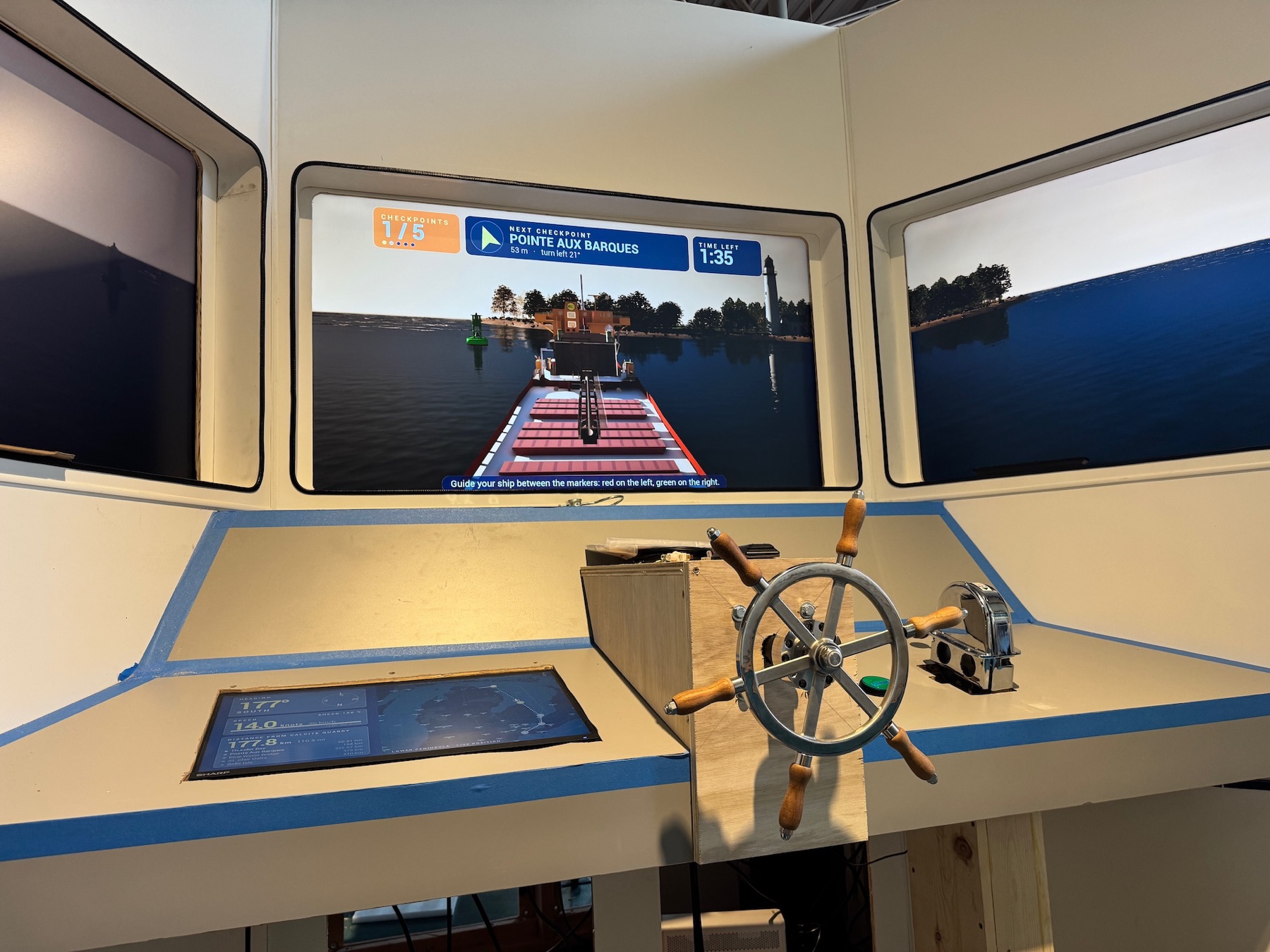
Bridge screens showing a lighthouse on the water ahead, with the wheel and throttle in front
A lighthouse ahead
The simulator running

How I think

Interactive stations in How We Know the Weather

Find the story

Most subjects are too big to show whole. I look for the one idea a visitor should leave with, then build the room around it.

Weather: how detection works, then what the data says about where you live. Toyota Mississippi: a whole plant as one seven-screen journey.

After Effects composition of the marquee wall with the screen gaps blocked out

Make it tangible early

People decide faster when they can see it move. I prototype early, in the browser or in the engine, so the conversation is about the real thing.

The Toyota timeline directions were working browser prototypes. The Kentucky marquee was laid out against the real screen gaps before the first edit.

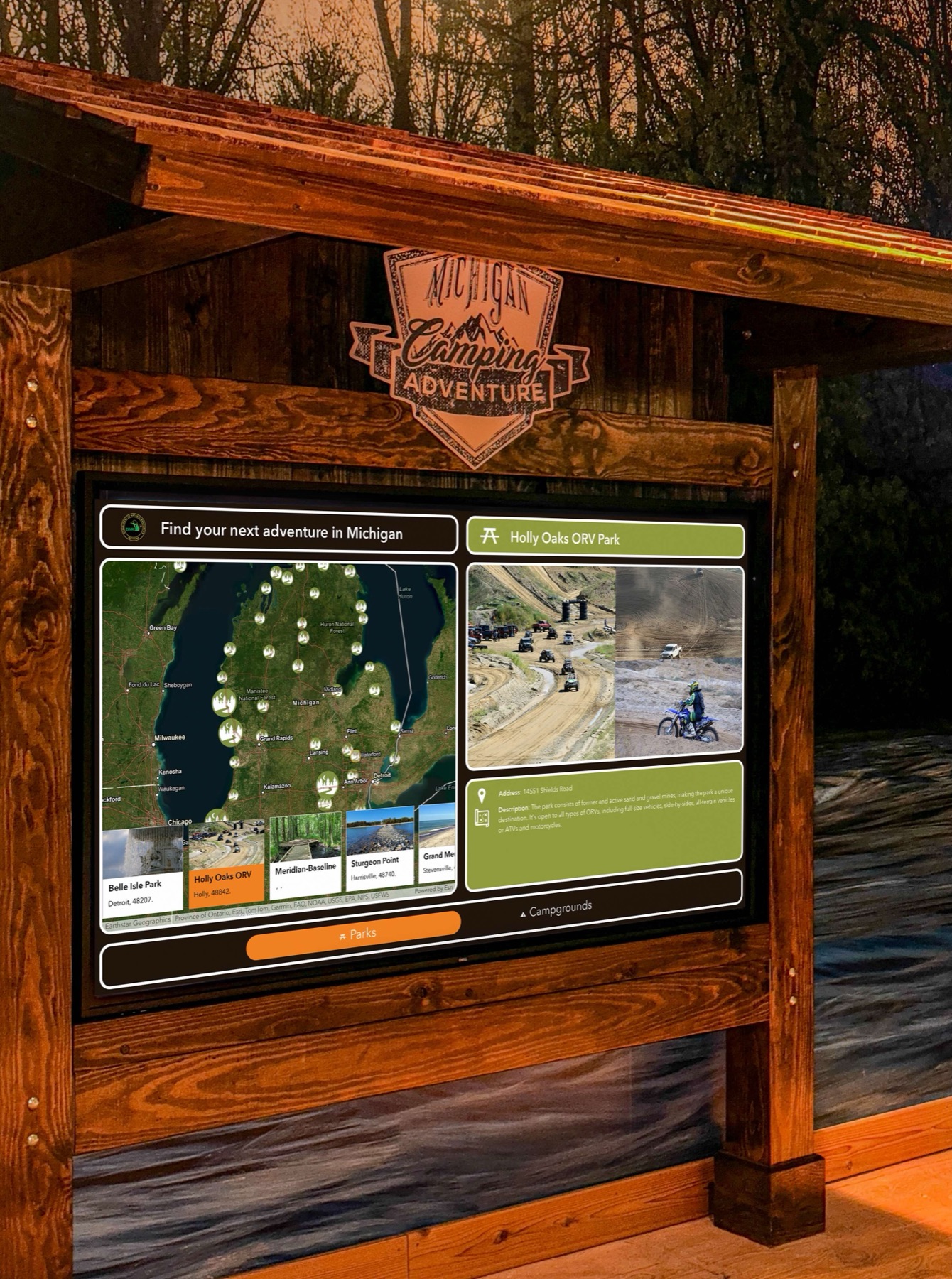
Interactive map of Michigan destinations at the Outdoor Adventure Center

Design for the real world

Exhibits run all day with nobody watching. Budget, upkeep and the staff who run the space shape the design from the start.

The weather wall isolates a dropped feed to one block. Kiosks reset themselves. Museum staff update the Detroit map without a developer. The weather AV scope landed on budget.

Argue for the idea, then commit

I push for what makes an experience memorable. When budget, operations or engineering say no, I commit to the version that can be built and kept running, and protect its core. The weather exhibit's first concept was much larger than the build. Detection first, then your own data: that part survived the cut.

Between the disciplines

Much of my work is translation: the client's goal into a story, the story into an interaction, the interaction into something engineers and fabricators can build. It rarely runs in one direction.

  1. Client and business goals
  2. Creative strategy and story
  3. Experience and interaction design
  4. Engineering, media and fabrication
  5. Deployment and operations

Experience Lab

The Decision Layer

An executive walks into a customer experience center to meet an emerging AI capability. Instead of a slideshow about AI, they step into a small business scenario and make the call themselves. The same system can carry another industry, language or running time without rebuilding the room.

An independent concept I made to show how I work. It isn't a client project or affiliated with any company, and every number in it is illustrative.

Audience
Executives and senior operations leaders on a hosted visit, short on time, mixed technical depth
Objective
In about 90 seconds, show where AI helps a team see a problem sooner and where people still decide, then open a conversation about the visitor's own business
Story
Observe, Understand, Decide, Reflect
Space
One large guest display readable from a few meters, a host tablet within reach, standing room for two to six people
System
Runs locally from content packs, with no live data or AI service behind it. Display and console share one state
Operations
The host can jump, reset, switch language or fall back to static frames in one tap. New content is a new pack, not new code
Success
A visitor can say in one sentence what the AI did and what the person decided. A host can run it without a technician

The dark screen is the wall an executive stands in front of.

The light panel is the tablet the host holds while presenting.

Try it: press Look closer and make the call, then switch the language or the industry on the panel.

Guest displayTap it. The host console follows.
Host console

Now showing

ObserveLive

Host-led. You advance the story.

Chapter

Run mode

Guest language

Content pack

If something goes wrong

Guest decision

Not made yet

Talking points

    One system, six layers

    Change anything on the host console and watch which layer moves. Another industry is another content pack, with no new code and no new hardware.

    1. Story structure
    2. Industry content
    3. Media assets
    4. Language
    5. Interaction logic
    6. Presentation

    About

    Christian Lozano leaning on a stone ledge in a temple courtyard, smiling

    I'm Christian Lozano, a creative technologist in Santa Monica. I work where the client's goal, the story, the screen and the install meet.

    I work with designers, engineers, subject experts, clients, fabricators and production teams to get ideas built and keep them running. My degree is in finance, so the budget is part of the brief for me. I work in English and Spanish.

    2022 to now
    Creative Technologist, TechFulcrum LLC
    Education
    B.S. Finance, Universidad del Rosario, Bogotá
    Tools
    Unreal Engine 5 and nDisplay, HTML, CSS, JavaScript, React, Node.js, BrightSign, Adobe Creative Cloud, Figma, AV control and integration

    Shape it

    • Experience concepts
    • Ideation and workshops
    • Guest journeys and spatial storytelling
    • Interpreting science and industry

    Make it

    • Interactive exhibits
    • Touchscreen web apps
    • Real-time 3D simulation
    • Media and AV integration
    • Prototypes and concept decks

    Deliver it

    • Budgets, estimates and scope
    • Client decisions
    • Hardware and software integration
    • Deployment and support
    • Content update workflows

    The best experiences make complicated things feel surprisingly clear